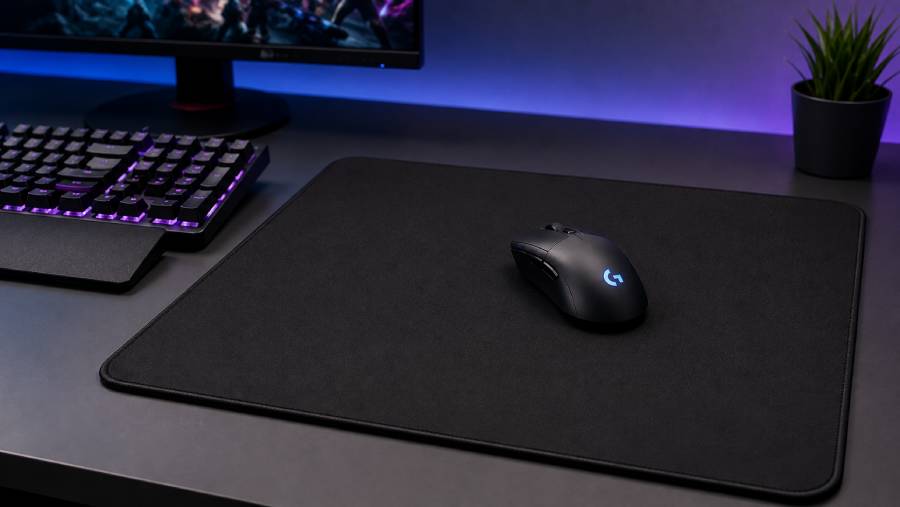
A gaming mousepad plays an important role in creating a stable and reliable gaming environment. While players often focus on the mouse, keyboard, monitor, or graphics card, the surface beneath the mouse can also influence tracking, glide, stopping power, and comfort. A good gaming mousepad supports repeatable movement and helps the mouse sensor perform consistently. Understanding how different surfaces behave and how to maintain them can help gamers get better long-term performance from their setup.
How a Gaming Mousepad Affects Mouse Tracking
Modern gaming mice use optical or laser sensors to detect movement. These sensors work best when the surface beneath them is consistent and easy to read. A gaming mousepad provides a controlled texture that reduces unpredictable tracking caused by shiny, reflective, or uneven desk surfaces.
For competitive players, even small inconsistencies can be frustrating. Reliable tracking allows the user to build muscle memory because the same physical movement produces a similar on-screen result each time.
Surface Texture and Glide
The surface texture of a gaming mousepad determines how easily the mouse moves. Smooth surfaces create fast glide, while textured surfaces produce more friction and control.
Players who use low sensitivity often make large arm movements and may prefer a surface that allows smooth, uninterrupted swipes. High-sensitivity players may value extra control because their movements are smaller and more precise.
There is no single ideal surface for every gamer. The right balance depends on play style, mouse weight, sensitivity settings, and personal preference.
Why Size Matters More Than Many Gamers Expect
A gaming mousepad should provide enough room for the user’s natural movement range. If the mouse regularly reaches the edge of the pad, the player may need to reposition during important moments.
Medium pads can work well for everyday gaming, while large pads suit low-sensitivity players. Extended mousepads cover more of the desk and can support both the keyboard and mouse. These larger formats are also popular because they create a unified desk surface and protect the desk from scratches.
Matching the Mousepad to Mouse Sensitivity
Mouse sensitivity and gaming mousepad size are closely connected. Low DPI and low in-game sensitivity generally require more physical desk space. Players who aim with the arm often benefit from larger pads.
High-DPI users may not need as much space, but they can still benefit from a stable surface. The important point is to choose a pad that matches actual movement habits rather than copying another player’s setup.
Mouse Feet and Surface Compatibility
The feet on the bottom of a gaming mouse also affect how the mousepad feels. Smooth PTFE feet tend to glide easily, while worn or damaged feet can create extra friction.
A fast gaming mousepad combined with very smooth mouse feet can feel extremely quick. A control pad may provide a more balanced experience with the same mouse. Gamers should consider the interaction between the mouse feet and pad surface rather than evaluating either component alone.
Keeping a Gaming Mousepad Clean
Dust, skin oils, food particles, and moisture can gradually change the feel of a gaming mousepad. A dirty cloth pad may develop slow areas, while debris on a hard pad can interfere with smooth movement.
Regular cleaning helps maintain consistent glide. Cloth mousepads can often be cleaned gently with water and mild soap, depending on the manufacturer’s instructions. They should be rinsed carefully and allowed to dry completely before use.
Hard mousepads are usually easier to wipe down with a soft cloth. Abrasive cleaners should be avoided because they may damage the surface texture.
When to Replace a Gaming Mousepad
A gaming mousepad does not last forever. Over time, the surface may wear down, edges may fray, or certain areas may become noticeably slower than others.
Replacement may be worthwhile when cleaning no longer restores a consistent feel. Competitive players may notice performance changes earlier because they rely heavily on predictable glide and stopping power.
Improving Desk Ergonomics
A gaming mousepad can also contribute to a more comfortable desk setup. Large pads give the forearm a softer place to rest and reduce direct contact with a hard desk edge.
The mousepad should be positioned so the wrist and arm can move naturally. The user should not have to reach too far or twist the shoulder to access the full movement area.
Choosing Between Performance and Style
Many gaming mousepads are available with artwork, RGB lighting, branded designs, or minimalist finishes. Style can be important for a coordinated setup, but performance characteristics should come first.
A visually impressive mousepad that is too small, too fast, or too rough may become uncomfortable during daily use. The best option combines the desired appearance with the correct surface and dimensions.
Conclusion
A gaming mousepad affects more than the look of a gaming desk. It influences tracking consistency, mouse glide, stopping control, comfort, and the amount of space available for aiming. Surface texture, size, mouse sensitivity, mouse feet, and regular maintenance all work together to shape the experience. By choosing a gaming mousepad that matches personal play style and keeping it clean, gamers can create a more consistent and comfortable setup for both competitive and casual gaming.